
In 2025, customers expect speed and convenience. That’s why contactless payments have become a game-changer for small businesses. If you’re still only accepting cash or card swipes, you might be missing out on faster transactions and happier customers.
This guide will show you exactly how to set up contactless payments for your business, step by step. You’ll learn what tools you need, how to get started and the benefits that make it worth every penny.
Table of Contents
- What Are Contactless Payments?
- Why Your Small Business Needs Contactless Payments
- How to Set Up Contactless Payments for Your Business
- Top Payment Providers for Small Businesses
- Common Mistakes to Avoid
- Final Thoughts and Next Steps
1. What Are Contactless Payments?
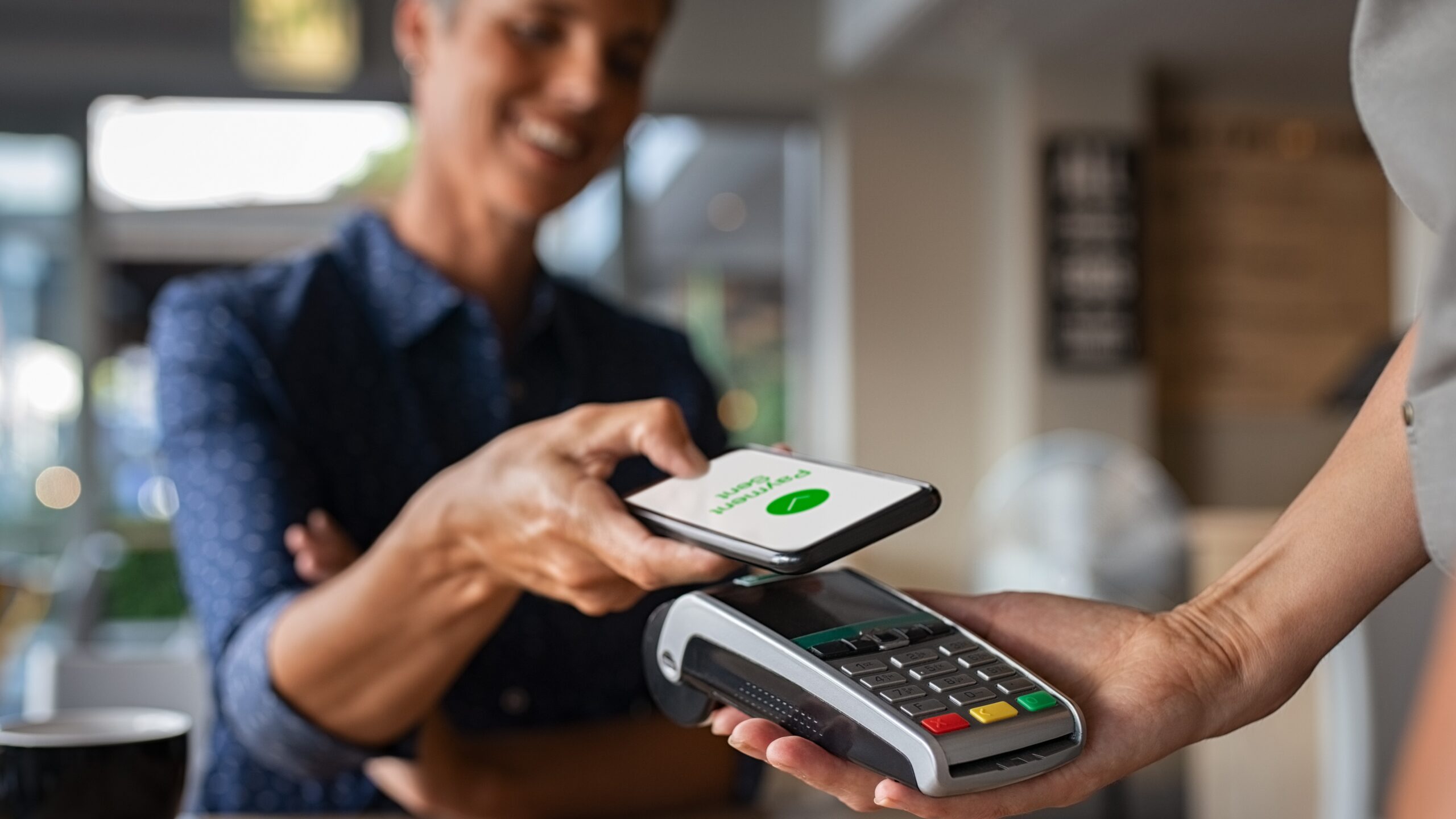
Contactless payments let customers pay by simply tapping their phone, smartwatch or card on a reader, no physical contact or PIN needed.
These payments use NFC (Near Field Communication) technology, which connects a device to a payment terminal securely and instantly. Whether through Apple Pay, Google Pay or tap-enabled credit cards, this system makes payments faster and safer.
2. Why Your Small Business Needs Contactless Payments
If you’re running a small business, adopting contactless payments can give you a big edge. Here’s why:
- Faster checkouts: No more waiting for cash or card inserts.
- Customer convenience: People love the tap-and-go experience.
- Increased sales: Studies show customers spend more when payments are seamless.
- Better hygiene: Especially important in a post-pandemic world.
- Secure transactions: Built-in encryption protects both you and your customers.
3. How to Set Up Contactless Payments for Your Business
Here’s how to get started step by step:
Step 1: Choose a Payment Provider
Pick a trusted payment provider that supports contactless payments. Popular options include Square, PayPal Zettle, Stripe and Clover. Compare their transaction fees, features and ease of setup.
Step 2: Get an NFC-Enabled Reader
You’ll need a contactless card reader that supports tap-to-pay. Most modern readers support both chip and contactless transactions. Many POS systems already include this feature.
Step 3: Connect to a POS System
Integrate your reader with your POS system or smartphone app. Make sure your POS supports digital wallets like Apple Pay, Google Pay and Samsung Pay.
Step 4: Enable Digital Wallets
Activate digital payment options in your provider’s settings. This lets customers pay with their phones, watches or NFC cards.
Step 5: Train Your Staff and Inform Customers
Let your team know how contactless payments work and display clear signage like “Tap to Pay Here.” Customers love to know they can pay fast and safely.
4. Top Payment Providers for Small Businesses
Here are a few trusted contactless payment solutions in 2025:
- Square: Simple setup and flat-rate fees.
- Stripe: Great for online and in-store integration.
- PayPal Zettle: Perfect for small retail shops.
- Clover: Offers customizable POS systems with NFC support.
Each option lets you accept payments from mobile wallets and contactless cards easily.
5. Common Mistakes to Avoid
When setting up contactless payments, don’t:
- Forget to check compatibility between your reader and POS.
- Ignore transaction fees — they can add up fast.
- Skip staff training — it keeps transactions smooth.
- Forget to update signage — customers need to know you offer tap-to-pay.
6. Final Thoughts and Next Steps
Setting up contactless payments isn’t complicated, it’s a smart move. It improves customer experience, boosts efficiency, and keeps your business competitive in 2025.
Start small: choose a provider, get your NFC reader and let your customers tap their way through checkout. You’ll soon wonder how you ever did business without
Ready to take your business cashless? Start today with a reliable contactless payment provider and give your customers the fast, safe experience they deserve.